
Creating viral TikTok content doesn’t require expensive equipment or professional editing skills. You just need the right approach and some simple tech tools that won’t break the bank.
This guide is perfect for aspiring content creators, small business owners, and anyone wanting to grow their TikTok following without spending hundreds on fancy gear. You’ll learn exactly which budget TikTok tools can transform your videos from overlooked to unmissable.
We’ll cover the essential TikTok content creation tools that successful creators swear by, including free editing apps and analytics platforms that help you understand what works. You’ll also discover proven TikTok video editing techniques that boost engagement rates, from trending transitions to eye-catching effects that keep viewers watching until the end.
Finally, we’ll dive into TikTok algorithm tips and simple posting strategies that increase your chances of landing on the For You page, plus growth hacks that help you build a loyal audience without spending a fortune on promotion.
Table of contents
- Essential Tech Tools That Drive Viral TikTok Success
- Free Editing Apps That Create Professional-Looking Content
- Lighting Equipment Under $50 That Transforms Your Videos
- Proven Content Formats That Generate Millions of Views
- Quick transformation videos that hook viewers instantly
- Simple Editing Techniques That Boost Engagement Rates
- Strategic Jump Cuts That Maintain Viewer Attention
- Text Overlay Timing for Maximum Readability
- Speed Ramping Effects That Create Dynamic Content
- Algorithm-Friendly Posting Strategies Using Basic Analytics
- Optimal posting times based on free TikTok insights
- Budget-Friendly Growth Hacks That Scale Your Reach
- Repurposing single videos into multiple viral formats
- FAQs
Essential Tech Tools That Drive Viral TikTok Success

Smartphone Camera Optimization for Maximum Video Quality
Your smartphone probably has everything you need to create viral TikTok content, but most creators aren’t using their cameras to their full potential. The difference between amateur-looking videos and professional content often comes down to a few simple camera settings and techniques.
Start by cleaning your camera lens regularly – it sounds basic, but smudged lenses are responsible for countless blurry videos. Next, dive into your phone’s camera settings and enable the highest video resolution available. Most modern smartphones can shoot in 4K, which gives you crystal-clear footage that stands out in users’ feeds.
Frame rate matters more than you might think. Shoot in 30fps for standard content, but switch to 60fps when filming fast-moving scenes or dance videos. This creates smoother motion that keeps viewers engaged. For dramatic effect, try slow-motion recording at 120fps or higher – these clips often perform exceptionally well on TikTok.
Manual focus beats auto-focus every time when creating TikTok content creation tools from your phone. Tap your screen to lock focus on your subject, preventing that annoying hunting effect where the camera constantly refocuses. This single technique instantly makes your videos look more professional.
Grid lines help you apply the rule of thirds, positioning yourself or objects along the intersecting lines for more visually appealing shots. Most phones have this feature buried in camera settings – turn it on and watch your composition improve dramatically.
Free Editing Apps That Create Professional-Looking Content
The editing app you choose can make or break your viral TikTok strategies. While TikTok’s built-in editor works for basic cuts, several free apps offer professional-grade features that transform ordinary footage into scroll-stopping content.
CapCut leads the pack for mobile editing, offering advanced features like keyframe animation, color grading, and multi-layer editing – all completely free. Its auto-caption feature saves hours of work while improving accessibility. The app’s trending effects library updates regularly, giving you access to viral editing styles before they hit mainstream awareness.
InShot excels at quick, polished edits with its intuitive interface. The app’s speed controls let you create those satisfying fast-forward sequences that perform well on TikTok, while its extensive music library ensures you always have trending audio options.
| App | Best Feature | Learning Curve |
|---|---|---|
| CapCut | Advanced effects & animations | Moderate |
| InShot | Speed & simplicity | Easy |
| DaVinci Resolve | Color correction | Steep |
| Adobe Rush | Cross-platform sync | Moderate |
For creators ready to step up their game, DaVinci Resolve offers Hollywood-level color grading tools absolutely free. While the learning curve is steeper, the results speak for themselves – your videos will have that polished, cinematic look that commands attention.
Lighting Equipment Under $50 That Transforms Your Videos
Good lighting is the fastest way to upgrade your content quality, and you don’t need expensive equipment to achieve professional results. Natural light remains your best friend – position yourself facing a large window during golden hour (early morning or late afternoon) for that coveted soft, warm glow.
Ring lights under $30 solve most indoor lighting challenges. Choose models with adjustable color temperature, allowing you to match different moods and times of day. The circular catchlight they create in your eyes adds instant professionalism to talking-head videos.
LED panel lights offer more versatility than ring lights, providing broader, more even coverage. Models around $40-50 often include diffusion panels that soften harsh shadows, creating flattering light for any content type.
Reflectors might seem old-school, but they’re incredibly effective for bouncing existing light onto your face or subject. A simple white poster board works as a DIY reflector, or invest $15 in a collapsible 5-in-1 reflector for maximum flexibility.
Audio Tools for Crystal-Clear Sound Capture
Audio quality often determines whether viewers stay or scroll past your content. Poor audio kills even the most visually stunning videos, while crystal-clear sound keeps audiences engaged throughout entire videos.
Lapel microphones provide broadcast-quality audio for under $25. These tiny mics clip directly to your shirt, capturing your voice clearly while staying invisible on camera. Wireless versions offer more freedom of movement, perfect for dance videos or outdoor content.
Directional microphones work better for filming multiple people or capturing ambient sound. Models like the VideoMic Me-C plug directly into your phone’s USB-C or Lightning port, providing significant audio improvements over built-in microphones.
Wind screens and dead cats (those fuzzy microphone covers) are essential for outdoor filming. Even light breezes can create unusable audio, but these inexpensive accessories eliminate wind noise completely.
Recording in quiet environments makes the biggest difference in audio quality. Your microphone captures everything – air conditioning, traffic, even electronic device hums. Scout locations during different times of day to find the quietest recording windows, and always wear headphones while filming to monitor audio quality in real-time.
Proven Content Formats That Generate Millions of Views
Quick transformation videos that hook viewers instantly
Transformation content dominates TikTok because it taps into our natural curiosity about change. These videos work by creating an immediate visual payoff that keeps viewers watching until the very end. The key lies in showing a dramatic before-and-after within the first three seconds.
Start your transformation videos with the “after” shot for just one second, then cut to the “before” state. This technique, called the “hook and reveal,” creates instant intrigue. Whether you’re organizing a messy room, applying makeup, or upgrading an outfit, lead with the stunning result before showing the process.
The most viral transformation videos follow a simple structure: hook (0-3 seconds), process (4-25 seconds), and reveal (26-30 seconds). Use jump cuts every 2-3 seconds during the process to maintain energy and prevent viewers from scrolling away. Quick transitions paired with trending audio create an addictive viewing experience that the TikTok algorithm rewards with increased reach.
Popular transformation niches include room makeovers, cooking transformations, art progressions, and personal styling. The secret sauce is choosing transformations that feel achievable to your audience while still being visually impressive. This balance makes viewers both entertained and inspired to try similar changes themselves.
Educational content broken into digestible segments
Educational TikToks perform exceptionally well because they provide genuine value while entertaining viewers. The platform’s short-form nature forces creators to distill complex topics into easily consumable chunks, making learning feel effortless and fun.
Structure your educational content using the “3-point rule” – present exactly three key takeaways per video. This number works perfectly within TikTok’s time constraints and aligns with how our brains naturally process information. Start with a compelling hook that poses a question or presents a surprising fact, then dive into your three points using clear, simple language.
Visual aids are crucial for educational viral TikTok content success. Use text overlays, graphics, and props to reinforce your spoken content. The combination of auditory and visual learning helps viewers retain information better and makes your content more accessible to different learning styles.
Create series around evergreen topics in your niche. Educational content that teaches practical skills – like Excel shortcuts, cooking techniques, or productivity hacks – consistently generates millions of views because people save and share useful information. Use numbered titles like “5 Things You Didn’t Know About…” or “3 Ways to…” to set clear expectations and encourage completion.
Behind-the-scenes content that builds authentic connections
Behind-the-scenes videos create powerful emotional connections by showing the real person behind the polished content. These intimate glimpses into your creative process, daily routine, or business operations make followers feel like they’re part of your inner circle.
The magic happens when you share vulnerable moments – the failed attempts, the messy workspace, or the unglamorous reality behind your success. This authenticity resonates deeply with TikTok’s audience, who crave genuine connections over perfect presentations. Show your mistakes, laugh at yourself, and invite viewers into your real world.
Document your creative process from start to finish. Whether you’re building something, creating art, or developing a product, viewers love seeing the journey. Break longer processes into multiple videos to create anticipation and keep your audience coming back for updates. This approach builds a narrative arc that followers want to follow to completion.
Use natural lighting and minimal editing for behind-the-scenes content. The slightly rough, unpolished aesthetic reinforces authenticity and makes your content feel more relatable. Share the story behind your successes and failures equally – both moments create emotional investment from your audience.
Reply to comments with behind-the-scenes responses. When viewers ask questions about your process, create dedicated videos showing exactly how you do things. This responsive approach to content creation builds community engagement and provides endless content ideas directly from your audience’s curiosity.
Simple Editing Techniques That Boost Engagement Rates
Strategic Jump Cuts That Maintain Viewer Attention
Jump cuts are your secret weapon for keeping viewers glued to your screen. These quick transitions eliminate dead space and create a punchy rhythm that TikTok’s algorithm loves. The key is cutting every 2-3 seconds, right before energy starts to dip.
Start by recording yourself saying the same sentence from slightly different angles or positions. When you edit, cut between these takes to create visual movement without losing your message. This technique tricks the brain into staying engaged because something’s always changing.
For maximum impact, cut on action words or emotional peaks. If you’re explaining a concept, jump cut right when you emphasize key points. Your viewers won’t even notice the cuts – they’ll just feel more engaged. Popular creators use this technique to pack tons of information into short clips while maintaining that addictive TikTok energy.
Pro tip: Record multiple takes of each segment, varying your hand gestures, facial expressions, or body position. This gives you plenty of material to create seamless jump cuts that feel natural and dynamic.
Text Overlay Timing for Maximum Readability
Text overlays can make or break your TikTok’s performance, but timing is everything. The golden rule is displaying text for exactly 0.5 seconds per word, plus an extra second for processing. This means a 5-word caption needs 3.5 seconds of screen time.
Position your text strategically to complement your content, not compete with it. Place important information in the top third of the screen where viewers naturally look first. Use contrasting colors and bold fonts – white text with black borders works universally across different backgrounds.
Stagger your text reveals to create reading rhythm. Instead of showing everything at once, reveal information piece by piece as you speak. This creates a natural flow that guides viewer attention and improves retention rates significantly.
| Text Length | Display Time | Best Placement |
|---|---|---|
| 1-3 words | 2 seconds | Center screen |
| 4-7 words | 3.5 seconds | Top third |
| 8-12 words | 6 seconds | Split into two |
Color Grading Shortcuts Using Phone Apps
Color grading transforms amateur-looking videos into professional viral TikTok content. Apps like VSCO, Lightroom Mobile, and CapCut offer preset filters that instantly elevate your visual appeal without requiring technical expertise.
The most viral TikToks use warm, slightly oversaturated colors that pop on mobile screens. Boost your highlights by 20-30% and add a subtle orange tint to skin tones. This creates that coveted “golden hour” look even in harsh indoor lighting.
For different content types, stick to these proven formulas:
- Dance videos: High contrast with vibrant blues and magentas
- Food content: Warm oranges and yellows with increased saturation
- Educational content: Clean whites with subtle blue undertones
- Comedy skits: Slightly desaturated with punchy accent colors
Don’t over-edit – TikTok users prefer authentic-looking content with just enough polish to stand out. Apply your chosen preset, make minor adjustments, and save it as a custom filter for consistent branding across all your videos.
Speed Ramping Effects That Create Dynamic Content
Speed ramping – gradually changing playback speed – adds cinematic flair that stops users mid-scroll. TikTok’s built-in speed controls make this technique accessible to everyone, no fancy software required.
The most effective pattern is slow-mo intro (0.5x speed) → normal speed content → fast outro (2x speed). This creates natural momentum that mirrors how attention spans work on social media. Start slow to hook viewers, deliver your message at normal speed, then accelerate to create urgency.
For transformation content, use extreme slow-mo (0.3x) during the actual change moment, then snap back to 2x speed for the reveal. This technique has generated millions of views for makeup artists, home renovators, and fitness creators.
Time your speed changes with your audio. Slow down during instrumental breaks or emotional moments, then speed up during high-energy sections. This audio-visual sync creates a professional feel that TikTok’s algorithm rewards with increased reach.
Seamless Transitions Between Scenes
Mastering transitions separates viral creators from everyone else. The most engaging TikToks feel like magic tricks, where scenes flow together impossibly smooth.
The “hand over camera” transition remains incredibly effective – simply cover your lens with your hand, change outfits or locations, then uncover for an instant transformation. For outdoor content, use natural elements like walking behind trees or buildings to hide your cuts.
Match cuts work brilliantly for before/after content. End one scene with a specific gesture or object position, then start the next scene identically. Your viewers’ brains fill in the gap, creating the illusion of continuous action across time or space.
Object-motivated transitions use props to mask edits. Throw something toward the camera, cut during the motion, then catch a similar object in your new scene. This technique works with everything from clothing items to food, creating viral moments that beg for rewatching.
The secret to seamless transitions is planning ahead. Map out your cuts before filming, practice your timing, and always shoot extra footage. Most viral transition videos require 10-15 takes to get that “effortless” look that drives massive engagement.
Algorithm-Friendly Posting Strategies Using Basic Analytics
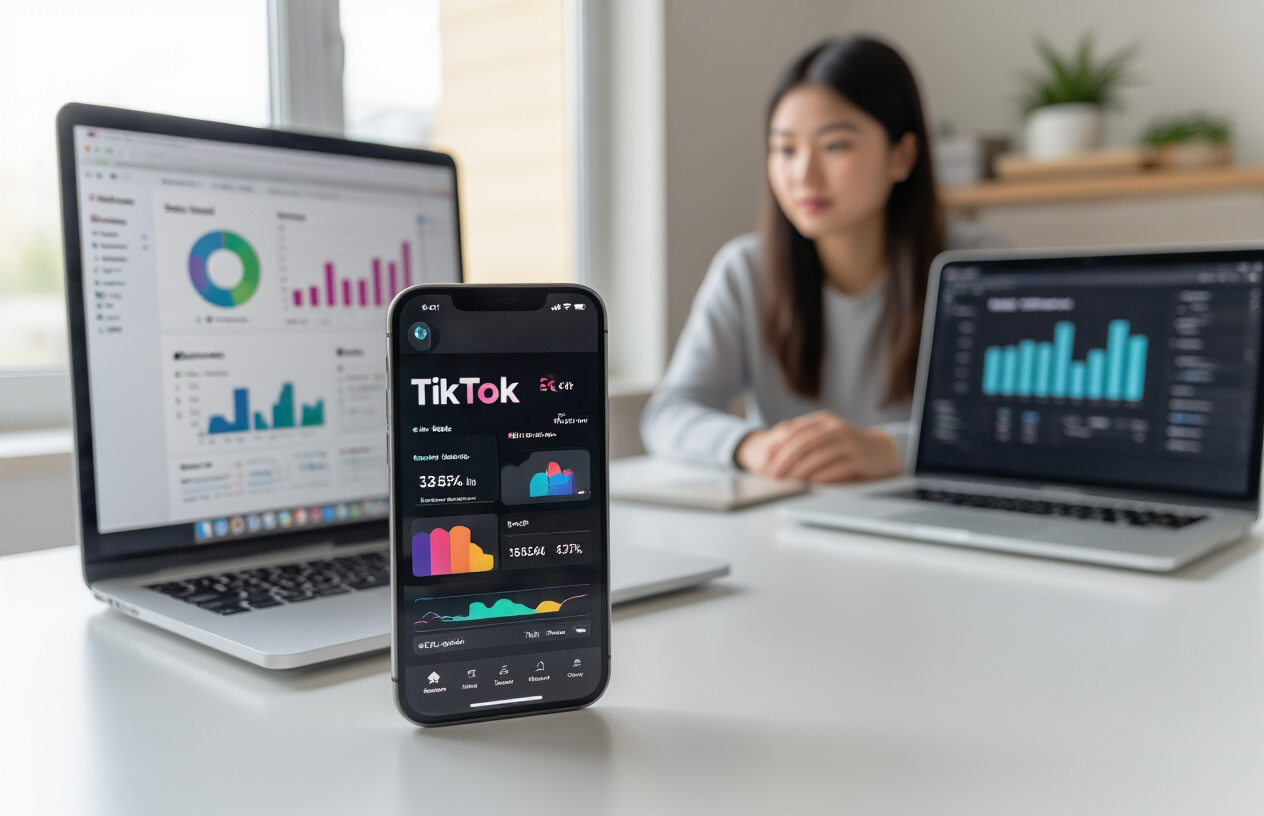
Optimal posting times based on free TikTok insights
Understanding when your audience is most active can make the difference between a video getting 100 views versus 100,000. TikTok’s built-in analytics tool, TikTok Pro Analytics, gives you everything you need to nail your timing without spending a dime.
Switch to a Creator Account through your settings menu to unlock these insights. Once activated, dive into the “Followers” tab where you’ll find a detailed breakdown of when your audience is online. The data shows hourly activity patterns across the entire week, revealing golden posting windows specific to your followers.
Most creators see peak engagement between 6-10 PM in their local timezone, but your audience might be completely different. Night owls might engage more around midnight, while early birds could be scrolling at 7 AM with their coffee. Check your analytics weekly since these patterns shift with seasons, holidays, and trending content cycles.
Cross-reference your follower activity data with TikTok’s general peak hours: Tuesday through Thursday typically perform better than weekends, and posting 2-3 hours before your audience’s peak online time often captures the algorithm’s attention right as engagement starts climbing.
Hashtag research using simple online tools
Smart hashtag research doesn’t require expensive software when you know where to look. Start with TikTok’s native search function – type your main keyword and watch the autocomplete suggestions populate. These suggestions represent what people are actively searching for right now.
Free hashtag research tools that deliver results:
- TikTok’s Discover page: Browse trending hashtags in your niche daily
- Hashtag analytics on tiktokcounter.net: Shows hashtag popularity and growth trends
- Instagram hashtag insights: Cross-platform hashtags often work on both apps
- Google Trends: Identifies rising topics before they explode on TikTok
Create a balanced hashtag strategy mixing three categories: trending hashtags (1-5 million posts), medium hashtags (100K-1M posts), and niche hashtags (under 100K posts). The trending tags give you broad exposure, medium tags help you compete in manageable spaces, and niche tags connect you with highly engaged micro-communities.
Save winning hashtag combinations in your phone’s notes app. When you find a mix that performs well, reuse it for similar content types. Track which hashtags appear in your best-performing videos using TikTok’s analytics to identify your personal viral hashtag formula.
Content scheduling apps that maximize reach
Consistency beats perfection on TikTok, but manually posting every day becomes exhausting fast. Free and budget-friendly scheduling tools help maintain your presence even during busy periods.
Top scheduling options for TikTok creators:
| Tool | Price | Key Features |
|---|---|---|
| Later | Free tier available | Basic scheduling, analytics dashboard |
| Buffer | $5/month | Multi-platform posting, engagement tools |
| Creator Studio | Free | Direct from Meta, cross-platform scheduling |
| Hootsuite | Free for 3 profiles | Bulk scheduling, team collaboration |
Schedule your viral TikTok content 3-7 days in advance, but leave room for spontaneous trending content. The algorithm rewards quick responses to viral sounds and challenges, so don’t over-schedule your entire week.
Batch content creation pairs perfectly with scheduling apps. Film 5-10 videos in one session, edit them over the next day, then schedule them strategically throughout the week. This approach maintains consistent posting while freeing up time for engagement and trend monitoring.
Performance tracking methods without expensive software
TikTok’s native analytics provide comprehensive performance data that rivals paid platforms. Access these insights through your Creator Account dashboard to track what’s working and what isn’t.
Monitor these key metrics weekly: view duration (aim for 80%+), like-to-view ratio (3-5% is solid), share rate (1-3% indicates viral potential), and follower conversion rate. Screenshot your top-performing videos’ analytics to identify patterns in timing, hashtags, and content style.
Create a simple tracking spreadsheet with columns for posting time, hashtags used, video type, views after 24 hours, and final performance after one week. This manual tracking reveals your personal viral content formula faster than expensive analytics tools.
Compare your performance against similar creators using Social Blade’s free TikTok analytics. This external perspective shows whether you’re growing faster or slower than accounts in your niche, helping you adjust strategies based on real competitive data.
Budget-Friendly Growth Hacks That Scale Your Reach

Cross-platform promotion using free social media tools
Smart content creators know that one viral TikTok video can fuel growth across all platforms without spending a dime. The key lies in strategically distributing your TikTok content through free social media tools that multiply your reach exponentially.
Start by downloading your best-performing TikToks directly from the app and sharing them as Instagram Reels. The algorithm loves video content, and your TikTok viral strategies often translate perfectly to Instagram’s format. Use Instagram’s built-in editing tools to add captions or adjust the aspect ratio if needed.
Twitter becomes your content teaser platform. Create 15-second clips from your longer TikToks and post them with engaging captions that drive traffic back to your main TikTok account. Tweet threads breaking down your content creation process or behind-the-scenes moments build anticipation for your next viral TikTok content.
Facebook Groups offer untapped potential for organic reach. Join groups related to your niche and share your TikToks when relevant to ongoing discussions. Many creators overlook Facebook, making it easier to stand out and drive significant traffic to your TikTok profile.
Pinterest works surprisingly well for TikTok promotion. Create eye-catching pin graphics using Canva’s free templates, then link directly to your TikTok videos. This drives long-term traffic since Pinterest content has a longer lifespan than other platforms.
YouTube Shorts provides another avenue for repurposing your TikTok content creation tools. Upload your vertical videos as Shorts to tap into YouTube’s massive user base. Cross-pollination between platforms creates multiple touchpoints with potential followers.
Collaboration strategies with minimal tech requirements
Building partnerships with other creators doesn’t require expensive equipment or complex software. Some of the most successful TikTok growth hacks involve simple collaboration methods that anyone can execute with basic smartphone technology.
Duet chains create viral momentum without meeting in person. Find trending duets in your niche and add your unique spin using TikTok’s built-in duet feature. This connects you to existing viral content while showcasing your personality and expertise.
Comment collaborations cost nothing but generate massive engagement. Coordinate with other creators to engage meaningfully on each other’s content within the first hour of posting. This early engagement boost signals the algorithm to push your content to wider audiences.
Sound swapping collaborations maximize trending audio opportunities. When you discover a trending sound, create a group chat with fellow creators and coordinate posting schedules. Multiple videos using the same sound within a short timeframe can trigger algorithmic amplification for all participants.
Virtual challenges require zero tech investment beyond your smartphone. Create simple challenges that other creators can easily replicate and tag you in. The best challenges involve minimal props and can be filmed anywhere, removing barriers to participation.
Live stream partnerships multiply your audience instantly. Take turns going live on each other’s accounts or coordinate simultaneous live streams where you interact across platforms. This cross-audience exposure introduces you to new followers who are already engaged and active.
Repurposing single videos into multiple viral formats
Master creators extract maximum value from every piece of content by transforming one video into multiple viral opportunities. This approach maximizes your TikTok engagement tips while minimizing production time and effort.
Break longer videos into bite-sized clips that work as standalone content. A 60-second tutorial can become three 20-second tips, each with its own viral potential. Use your phone’s built-in video editor to create these shorter versions, adding different captions and hashtags to target various audience segments.
Create behind-the-scenes content from your original filming session. Film yourself setting up, practicing, or reacting to your own content. These authentic moments often perform better than polished main videos because they feel more relatable and genuine.
Transform popular videos into different formats entirely. Turn a dance video into a tutorial, or convert a cooking clip into a ingredients-only version. The same core content appeals to different viewing preferences and algorithm categories.
Seasonal remixes breathe new life into older content. Update successful videos with current trends, holidays, or seasonal elements. Your summer content can become winter-themed with simple visual changes and updated captions.
You also like this: Kipflix Watch Free Movies & Shows Online Anytime
Text-overlay variations of the same video target different algorithm preferences. Some users prefer videos with clear text instructions, while others enjoy pure visual content. Creating both versions from the same base footage doubles your chances of viral success with different audience segments.

Creating viral TikTok content doesn’t require expensive equipment or years of experience. With the right tech tools, proven content formats, and simple editing tricks, you can dramatically boost your engagement rates and reach millions of viewers. The key is understanding what the algorithm loves and using basic analytics to time your posts perfectly.
FAQs
1. What kind of equipment do I need to create viral TikTok videos?
You don’t need expensive gear — a good smartphone, natural lighting, and a basic lapel mic can make your TikTok videos look and sound professional. Apps like CapCut or InShot handle all your editing needs for free.
2. Can I go viral on TikTok using just my phone?
Absolutely. Most viral creators film and edit directly on their smartphones. The key is optimizing your camera settings, using trending sounds, and applying simple editing tricks that boost engagement.
3. What free apps are best for editing viral TikTok content?
Top free options include CapCut for advanced effects, InShot for quick edits, and DaVinci Resolve if you want cinematic color grading. These tools can make your videos look polished without spending a penny.
4. How important is lighting for viral TikTok videos?
Lighting is one of the biggest factors in video quality. Natural sunlight or an affordable ring light under $30 can instantly elevate your visuals, making your content look more professional and engaging.
5. How can I make my TikTok videos perform better in the algorithm?
Post during your audience’s peak activity times (use TikTok analytics to find them), engage quickly with comments, and use a mix of trending, medium, and niche hashtags. Consistency and quick adaptation to trends are key.